1
Drop the video
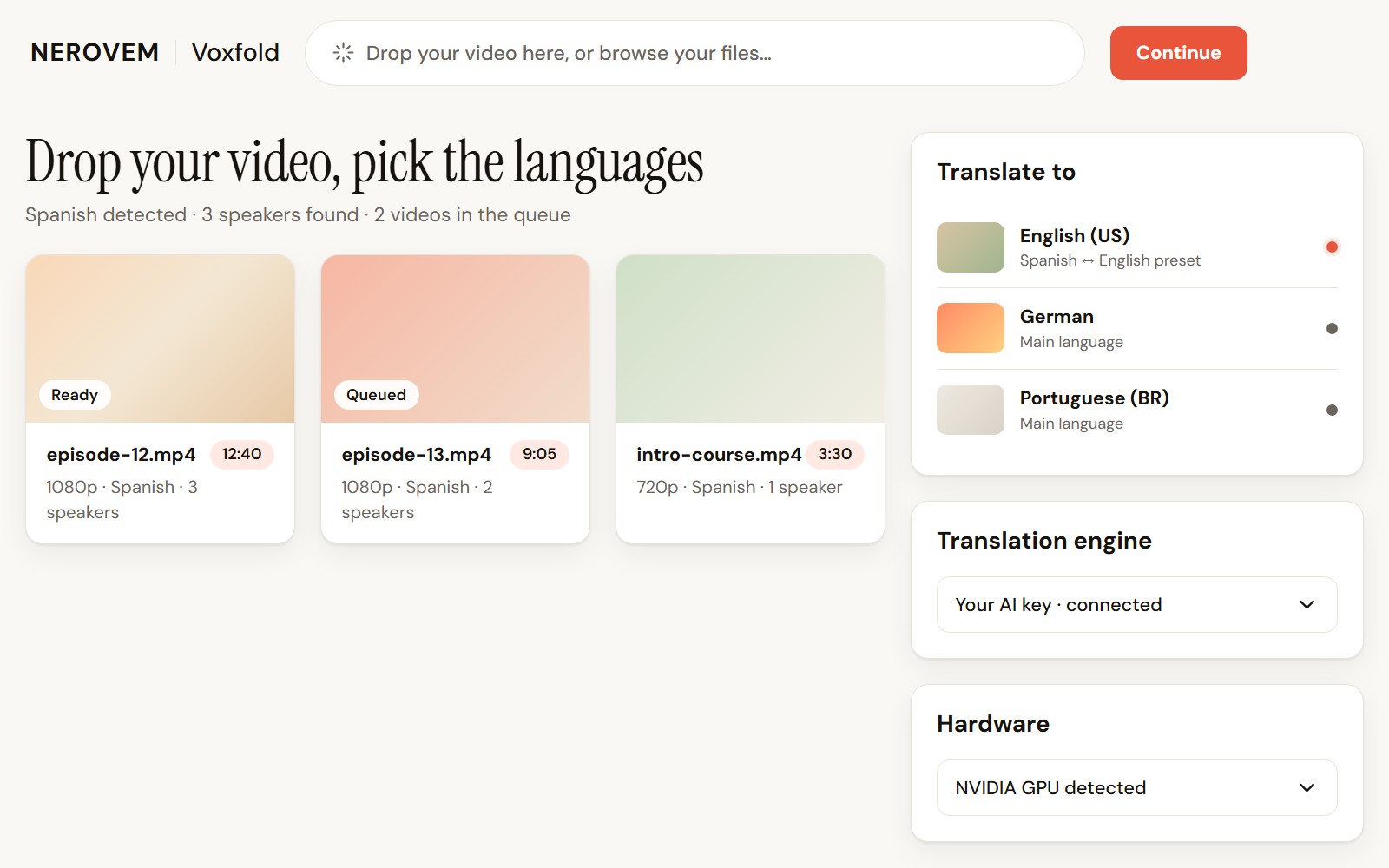
Drag it into the program and pick the target language. Voxfold detects the original language and how many people speak.
Your video, in another language, voiced and subtitled
Drop your video, review the text and export a dubbed, subtitled version. No subscription and no minute limit.
Delivered as soon as we receive your payment and your details. Maximum delivery time: 12 hours.
Dubbing it with a subscription app counts your minutes every month. Free tools mean setting up engines and parts by hand.
Before: your video stays in one language, or you pay every month for limited minutes.
After: your video dubbed and subtitled in another language, and you review the text before anything is voiced.
Drag it into the program and pick the target language. Voxfold detects the original language and how many people speak.
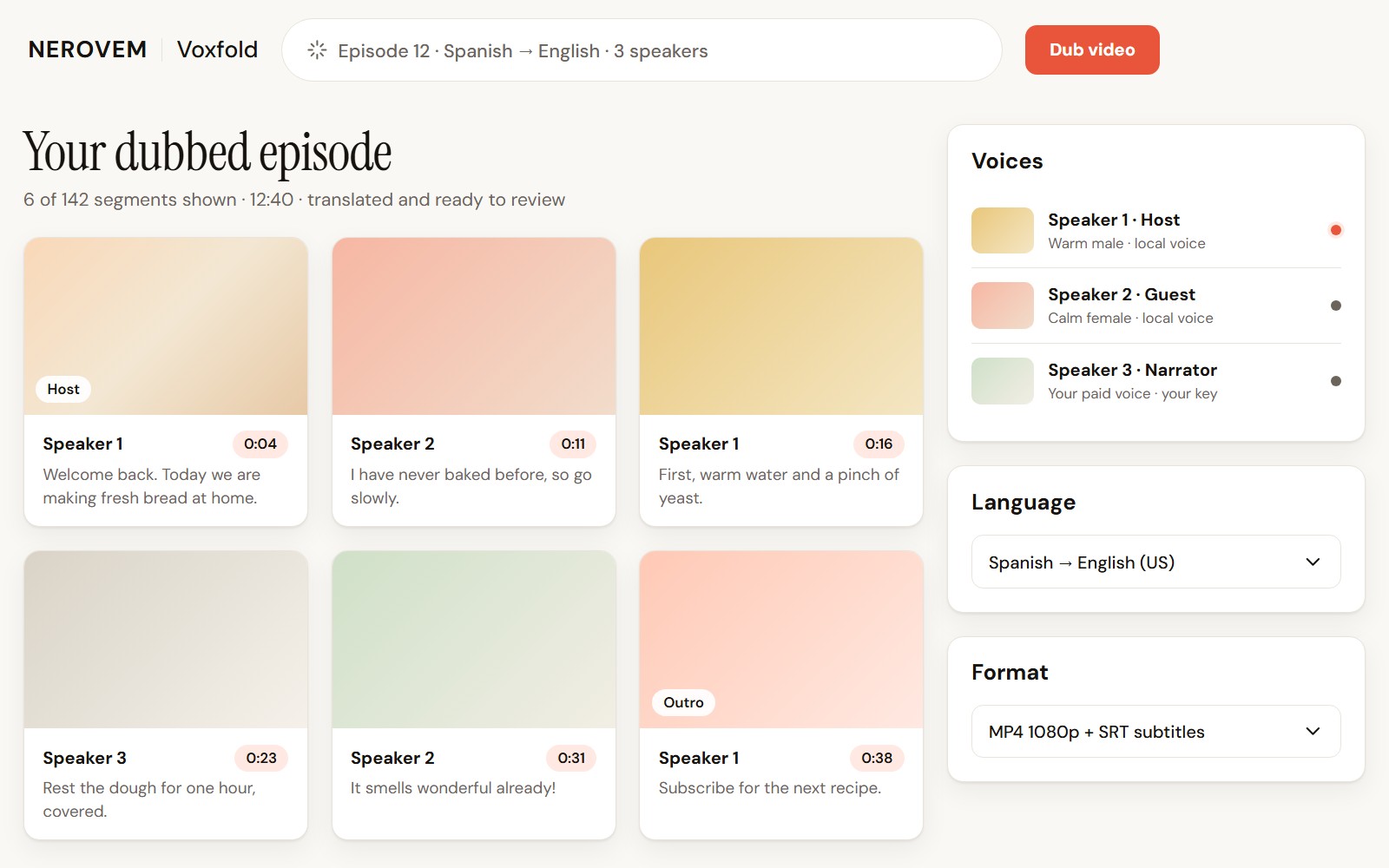
Read the transcript and the translation segment by segment, and fix anything before a single word is voiced.
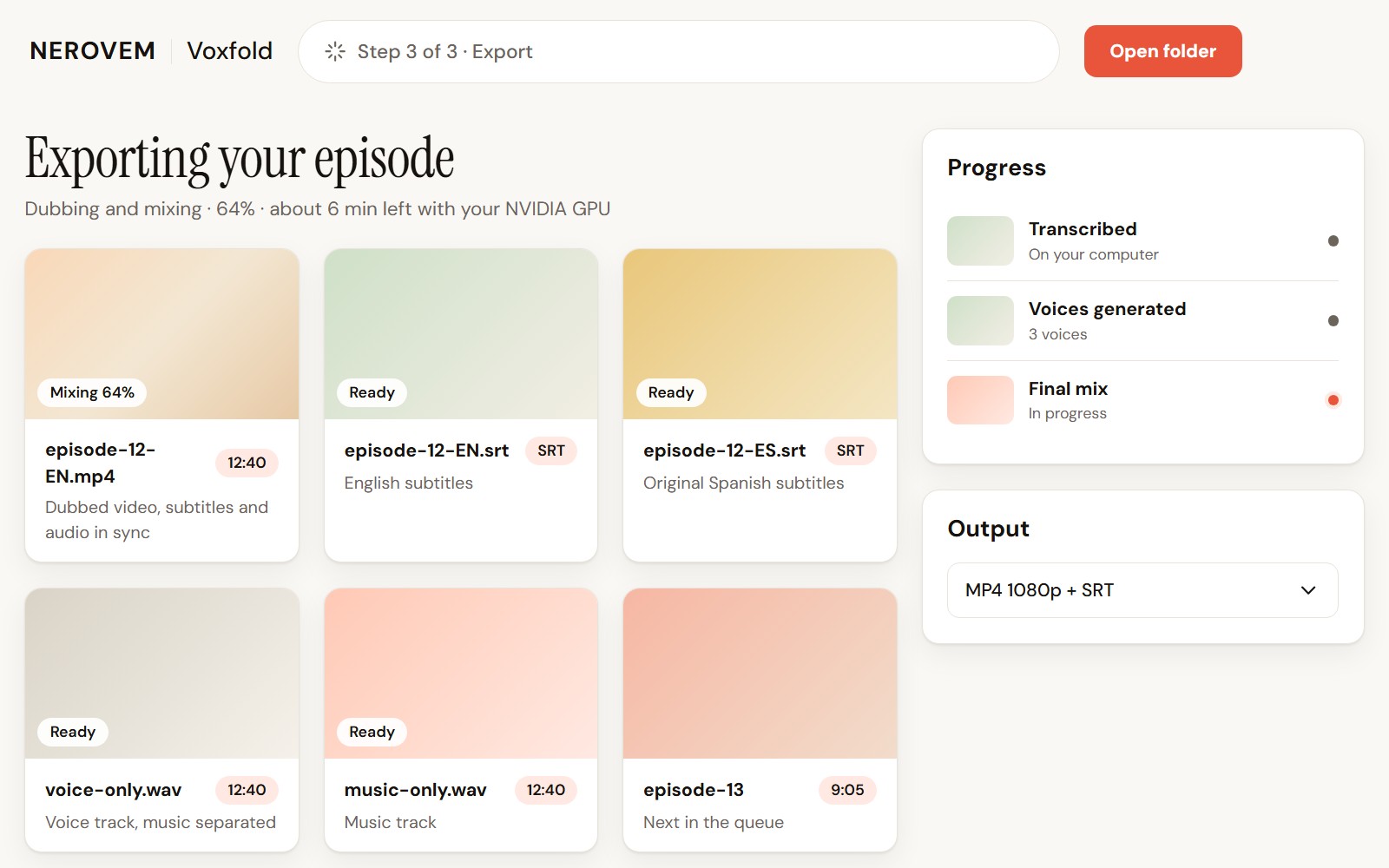
Get the dubbed video with subtitles and audio in sync, plus the subtitles on their own as SRT.
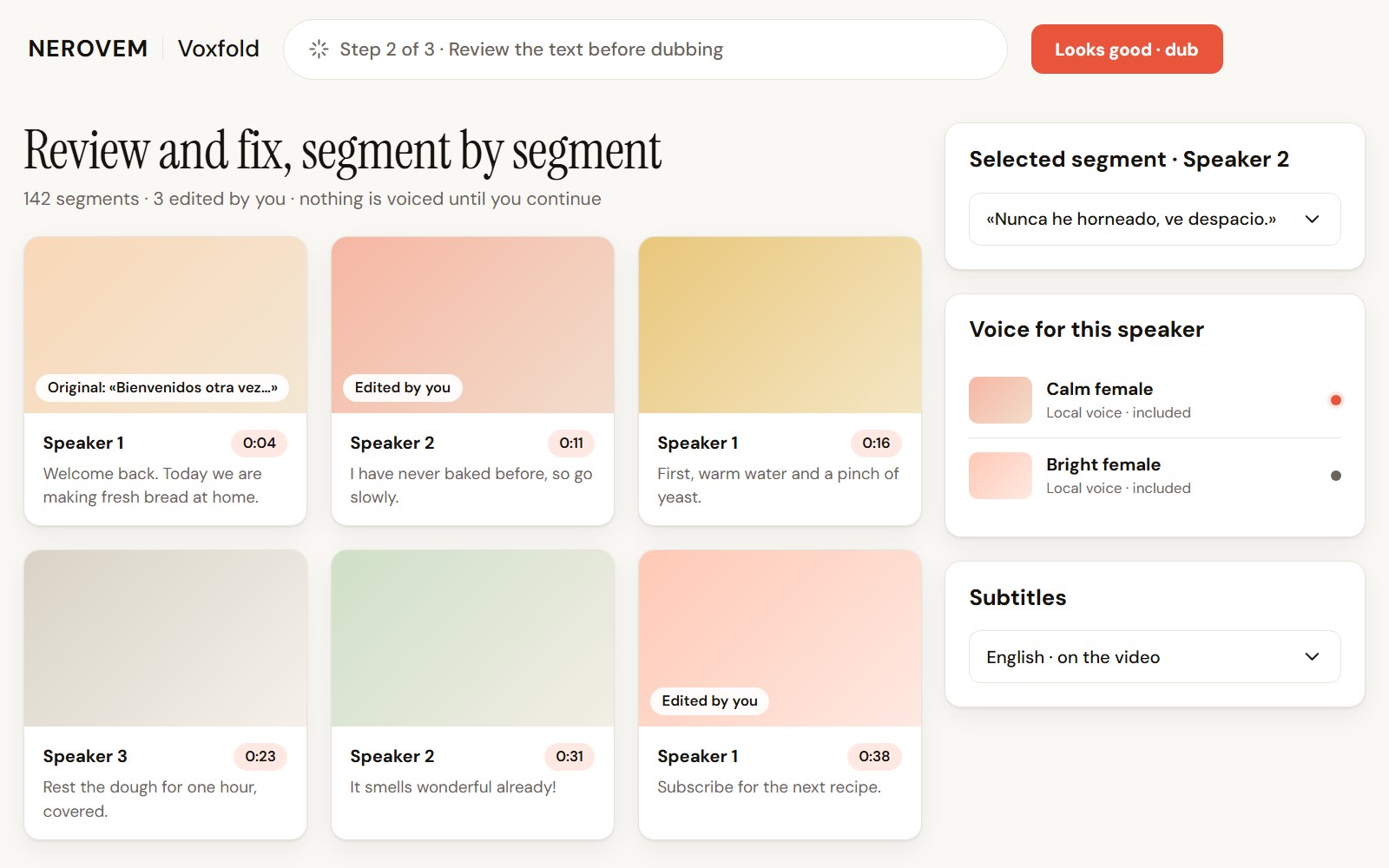
It detects who is talking and gives each person a voice, so an interview or a class does not sound like one announcer.
Transcript and translation can be corrected segment by segment. The dub starts from your text, not from a version you have not seen.
Export just the subtitles from any audio or video, or translate a subtitle file you already have.
Use the included local voices, or the paid voice you prefer with your own key: OpenAI, Azure or ElevenLabs. Quality depends on the engine you pick.
Queue several videos and they are processed one after another, with the same languages and voices.
| VoxfoldNEROVEM | Subscription dubbing app | Free tool | |
|---|---|---|---|
| Price | $39 once | From ≈ $33 a month | Free |
| Minutes | No limit | Set by the plan | No limit |
| Setup | One click | Nothing to install, on the web | Technical, engines and graphics card set up by hand |
| Text review | At every step, before dubbing | Depends on the service | Depends on the tool |
| Where it runs | Transcription and editing on your computer; translation and voice with the engine you choose | On the service's servers | On your computer |
| Use with clients | Included, all uses | Check each plan | Yes, with technical setup |
AIf you use it in your business
≈ $400– $720
over a year of dubbing videos
It costs about one month of a subscription dubbing app.
What you don't pay over a year of a subscription dubbing app: $33/month billed yearly ($396) or $60/month billed monthly ($720), with 25 minutes a month (perso.ai, Jul 2026; xpay.sh, May 2026). Paid voices or translation with your own key cost extra. With the included local voices, quality is lower than that app's and there is no lip sync.
Source: perso.ai, Rask AI dubbing review 2026 (Jul 2026) · xpay.sh, Rask AI pricing (May 2026)BIf you install it for your clients
Each sale: Dub a client's video into another language (about 10 minutes) · you charge ≈ $150 · it costs you ≈ $100
You charge $150 per video of about 10 minutes (assumption, about $15 per minute); it costs you 2 h at $45 (reviewing text and translation, choosing voices, checking and exporting) and about $5 of paid voice with your key. Costs = what each sale costs you × sales + the licence (and any reusable kit), once. Your time is already paid at $45/h inside the costs.
Estimates with the assumptions in plain sight, not promises: your numbers depend on your business, your area and your prices. Profit before taxes, without subtracting client acquisition, payment fees, travel (unless stated), warranties, support or servers. 1,000 sales is a theoretical scale, not a forecast: it would need staff and structure not counted here.
Delivered as soon as we receive your payment and your details.
Maximum delivery time: 12 hours.
Your details: the email for the licence and the system you will use it on. We write to you right away to confirm them.
Use it in your business, install it for your clients or build it into your product. The only thing not included: reselling the software on its own.
Delivered as soon as we receive your payment and your details. Maximum delivery time: 12 hours.
No. The installer is one click and the interface has three steps: drop the video, review the text, export. The technical settings stay in advanced options.
$39 once, with no subscription or minute limit. With the included local voices you pay nothing more. If you use your own AI key to translate or dub, you pay the provider: from cents per video; premium voices cost more.
It depends on the engine you choose. The included local voices do the job and cost nothing; for more quality, connect your paid voice with your key. We do not promise the same quality as a subscription service.
Transcription and editing happen on your computer. Translation and voice use the engine you choose: with a local one nothing leaves; with a cloud one, the text being translated or voiced does.
No. It syncs audio and subtitles with the video, but it does not change the picture or the lips.
It comes with presets for Spanish and English both ways and for the main languages. The interface is in English and Spanish.
Yes. You can install it for as many clients as you want and charge them whatever you decide for your work, for example dubbing their videos. What you cannot do is sell or hand over the program itself: copies, downloads or the installer for someone else to install on their own. You charge for your work, not for copies of the software.
Install it again with the same installer on another 64-bit Windows PC. Updates are included. There is no Mac version.
Write to us and we reply within 48 working hours.
please@nerovem.com