1
Drop your documents
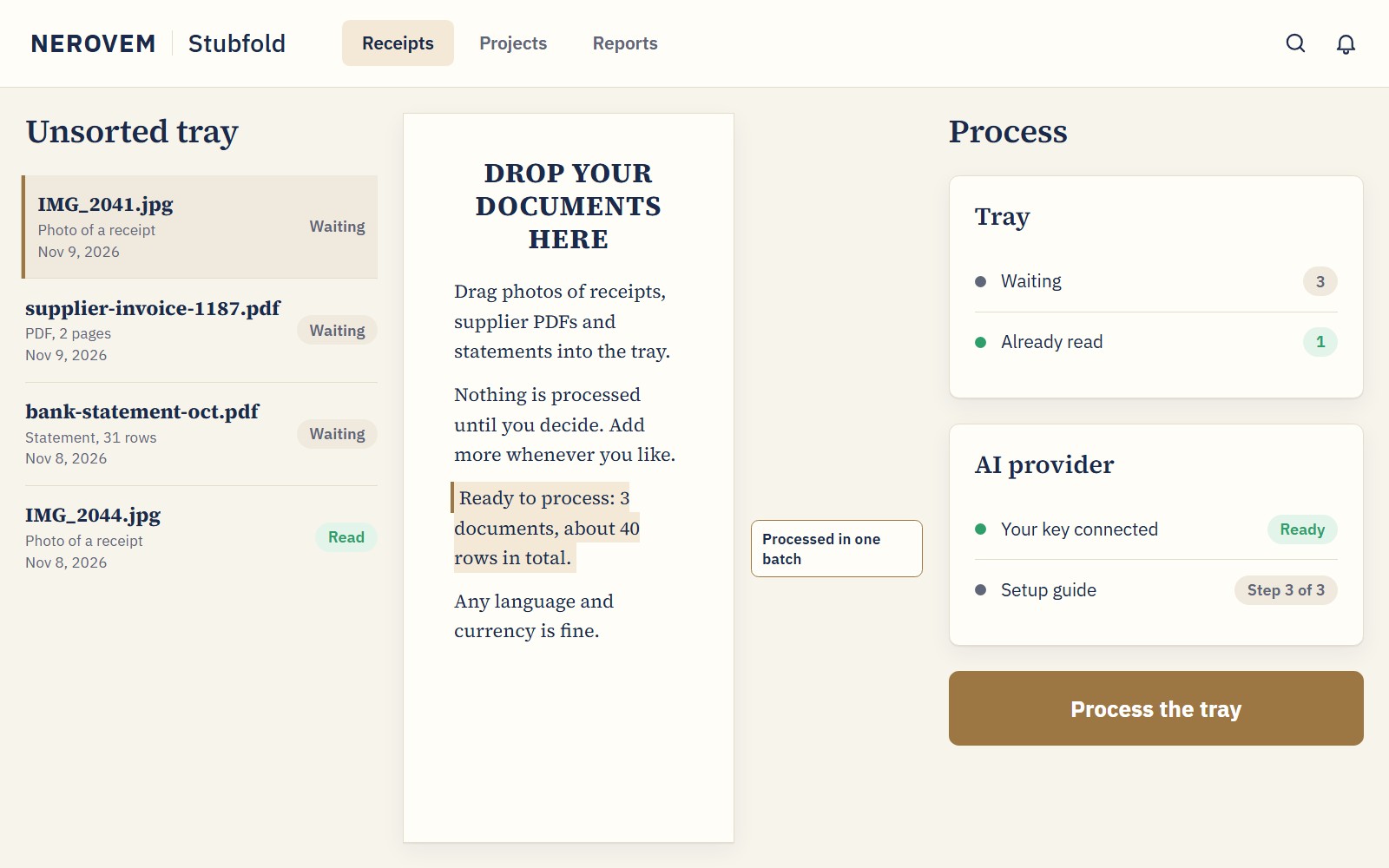
Receipt photos, supplier PDFs and statements go into the unsorted tray. Process them whenever you like, in a batch.
Your receipts, folded into one tidy table
Drop photos of receipts, supplier PDFs and statements. Review what was read and hand your accountant the quarter, ready.
Delivered as soon as we receive your payment and your details. Maximum delivery time: 12 hours.
Typing them into a spreadsheet takes evenings. Capture apps charge every month, and typing it all by hand eats your evenings.
Before: a pile of receipts, evenings typing, and a rush the week your accountant asks.
After: every document read into one table, reviewed by you and exported for the quarter.
Receipt photos, supplier PDFs and statements go into the unsorted tray. Process them whenever you like, in a batch.
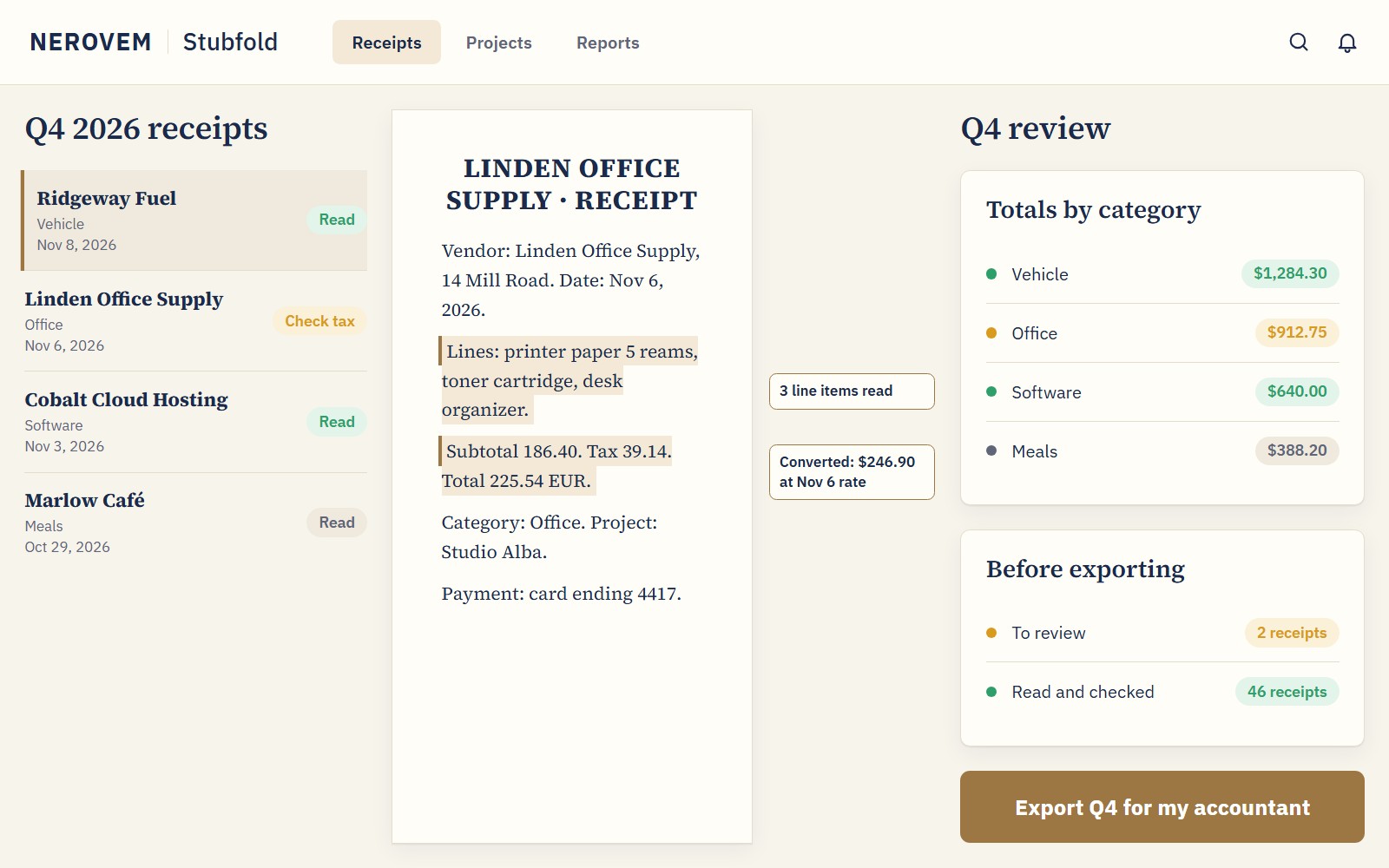
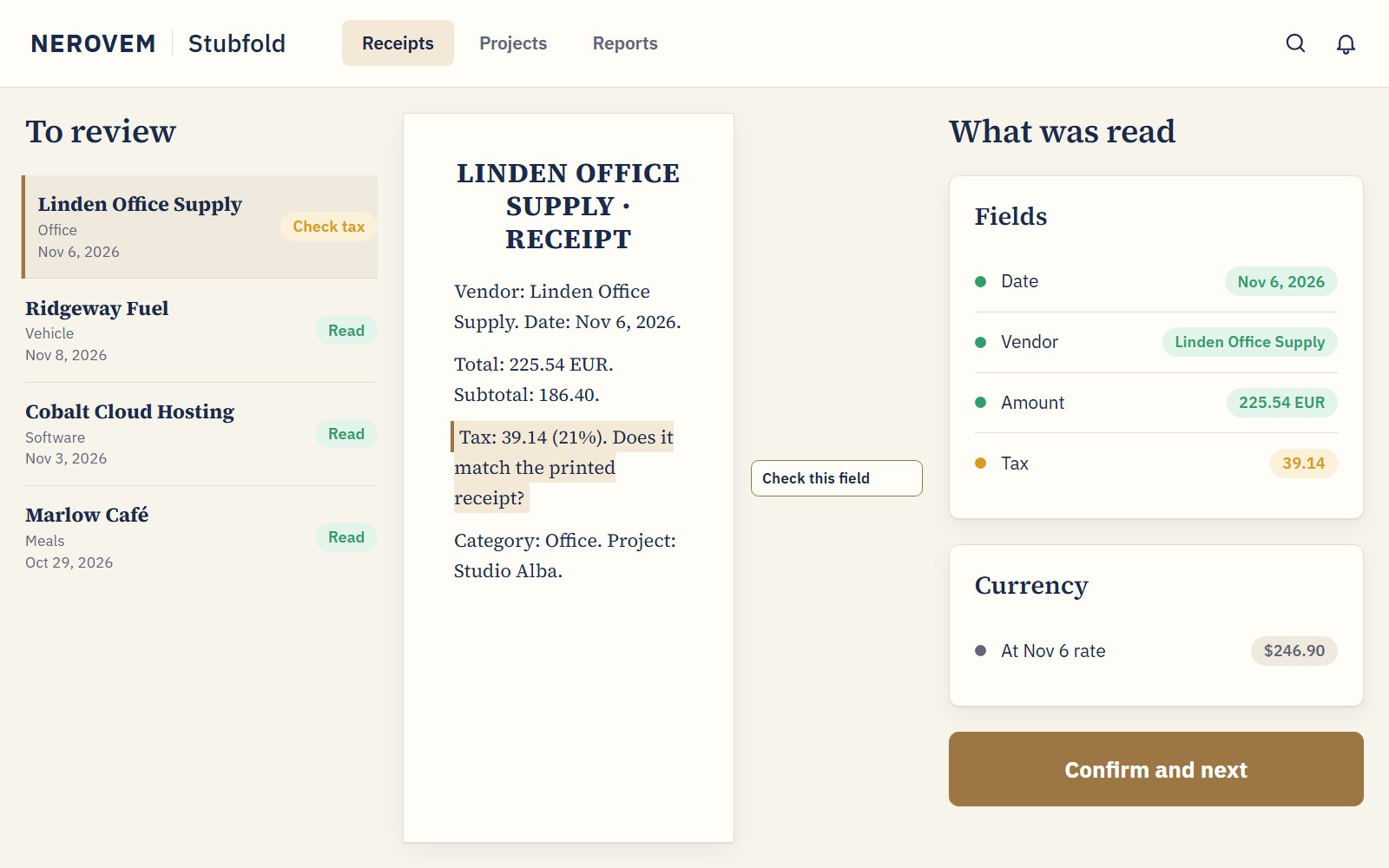
Check date, vendor, amount, tax and category for each one. Fix anything before it goes in your table.
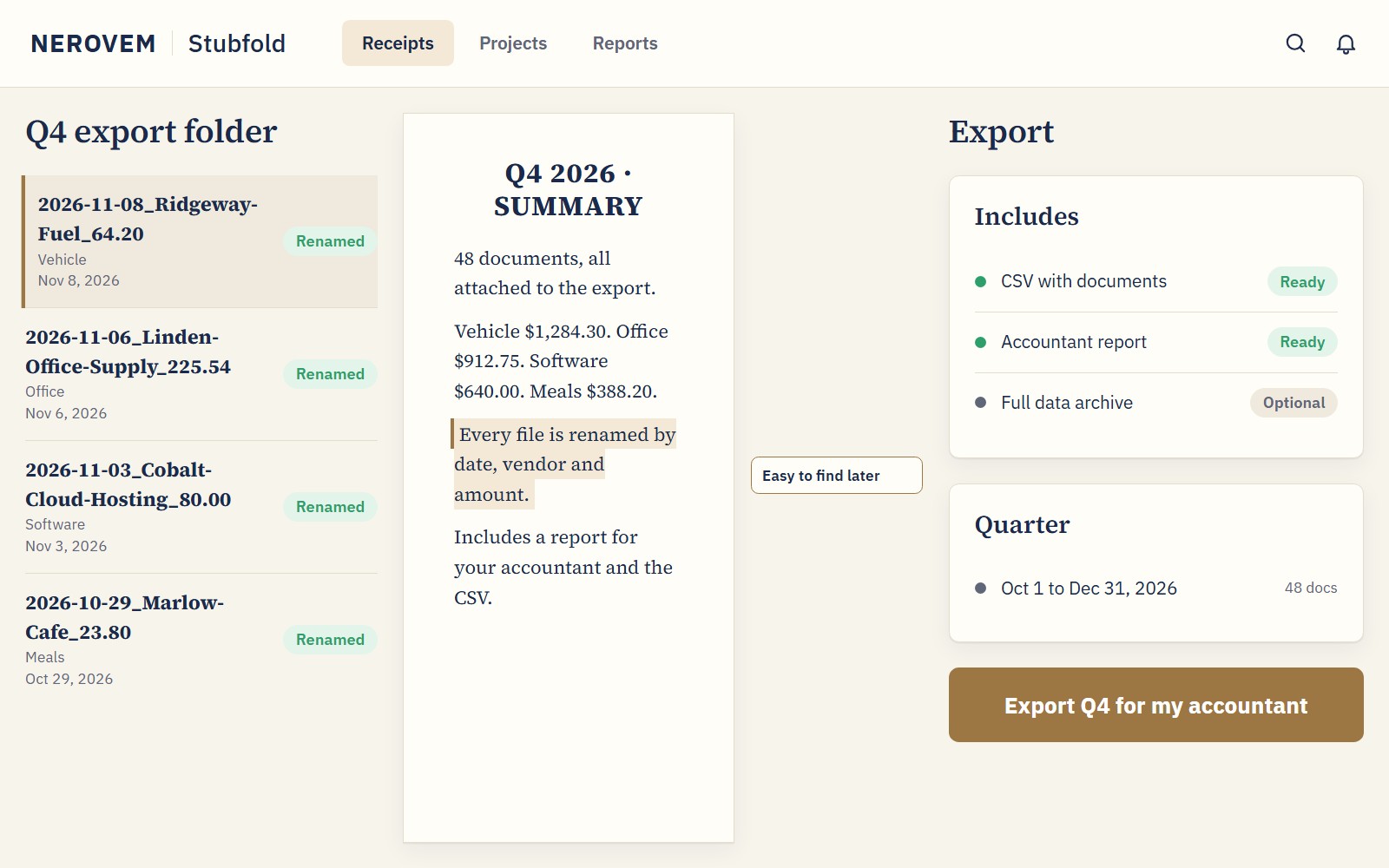
One file for your accountant, with every document attached and renamed by date, vendor and amount.
Date, vendor, amount, tax, line items and category, in any language and currency.
Drop everything now, process later. Split one invoice into several expenses.
Converts with the historical rate of the purchase date: 170+ currencies and 14 cryptocurrencies.
One project per client. Add custom fields, each with its own instruction for the AI.
Search inside the documents. Filter by date, category, project, amount or your own fields.
| StubfoldNEROVEM | Receipt-capture subscription | Typing it into a spreadsheet | |
|---|---|---|---|
| Price | $49 once | From $97 a year, with scan limits | Hours of typing every quarter |
| Setup | One-click installer | Nothing to install, on the web | Nothing to install |
| AI cost | Your own key, paid to the provider by use | Included in the plan | None: you read every receipt yourself |
| Where your documents live | On your computer; only the AI you choose receives them | On the service's servers | On your computer |
| For your accountant | Quarter export with documents renamed | Varies by plan | You build the export by hand |
| Use with clients | Included, all uses | Check each plan | Yes, with your hours each time |
AIf you use it in your business
≈ $100– $300
a year
It costs half a year of the cheapest subscription we compared.
What you don't pay over a year of a receipt-capture subscription: from $97 a year with 30 receipts a month (Shoeboxed Starter; Capterra, 2026) to $302.50 a year (Dext for businesses, billed yearly; dext.com, Nov 2026). Your AI key costs extra (cents per receipt, depending on the provider). Those apps include verification and accounting-software connections; here you check what was read before exporting.
Source: dext.com/en/business/pricing (checked Nov 11, 2026) · capterra.com, Shoeboxed pricing (2026, third-party)BIf you install it for your clients
Each sale: Prepare one quarter of expenses for a freelance client · you charge ≈ $60 · it costs you ≈ $40
As a bookkeeper or assistant, you charge $60 to get a client's quarter of expenses ready (about 60 receipts; assumption); it costs you 45 min at $45 (collecting and scanning the receipts and checking what was read) and about $2 of AI with your key (assumption). Costs = what each sale costs you × sales + the licence (and any reusable kit), once. Your time is already paid at $45/h inside the costs.
Estimates with the assumptions in plain sight, not promises: your numbers depend on your business, your area and your prices. Profit before taxes, without subtracting client acquisition, payment fees, travel (unless stated), warranties, support or servers. 1,000 sales is a theoretical scale, not a forecast: it would need staff and structure not counted here.
Delivered as soon as we receive your payment and your details.
Maximum delivery time: 12 hours.
Your details: the email for the licence and the system you will use it on. We write to you right away to confirm them.
Use it in your business, install it for your clients or build it into your product. The only thing not included: reselling the software on its own.
Delivered as soon as we receive your payment and your details. Maximum delivery time: 12 hours.
No. The installer is one click and there are three steps: drop your documents, review what was read, export the quarter. A guide walks you through getting your AI key.
$49 once, with no subscription. The AI is your own key from OpenAI, Gemini or Mistral, paid separately to the provider by use. A local model needs a powerful PC and costs nothing per use.
Stubfold has a step-by-step assistant: it shows where to create the key with your provider and where to paste it. It takes a few minutes.
Your documents are stored on your computer and sent only to the AI you choose. If you use a local model, nothing leaves your PC.
Not always, so reviewing is step two. You see what was read next to each document and fix it before exporting.
It starts with Spain/EU categories and tax rates, and has a tax field for other countries. Check your numbers with your accountant.
You get a CSV with every document attached and reports for your accountant. Ask which format they prefer; a CSV opens in any spreadsheet.
Yes. You can install it for as many clients as you want and charge them what you decide for your work, for example organizing their expenses. What you cannot do is sell or hand over the program itself: copies, downloads or the installer for someone else to install on their own. You charge for your work, not for copies of the software.
No Mac version; it is for Windows 10/11, 64-bit. Updates are included, with no fees.
Write to us and we reply within 48 working hours.
please@nerovem.com