1
Install and connect
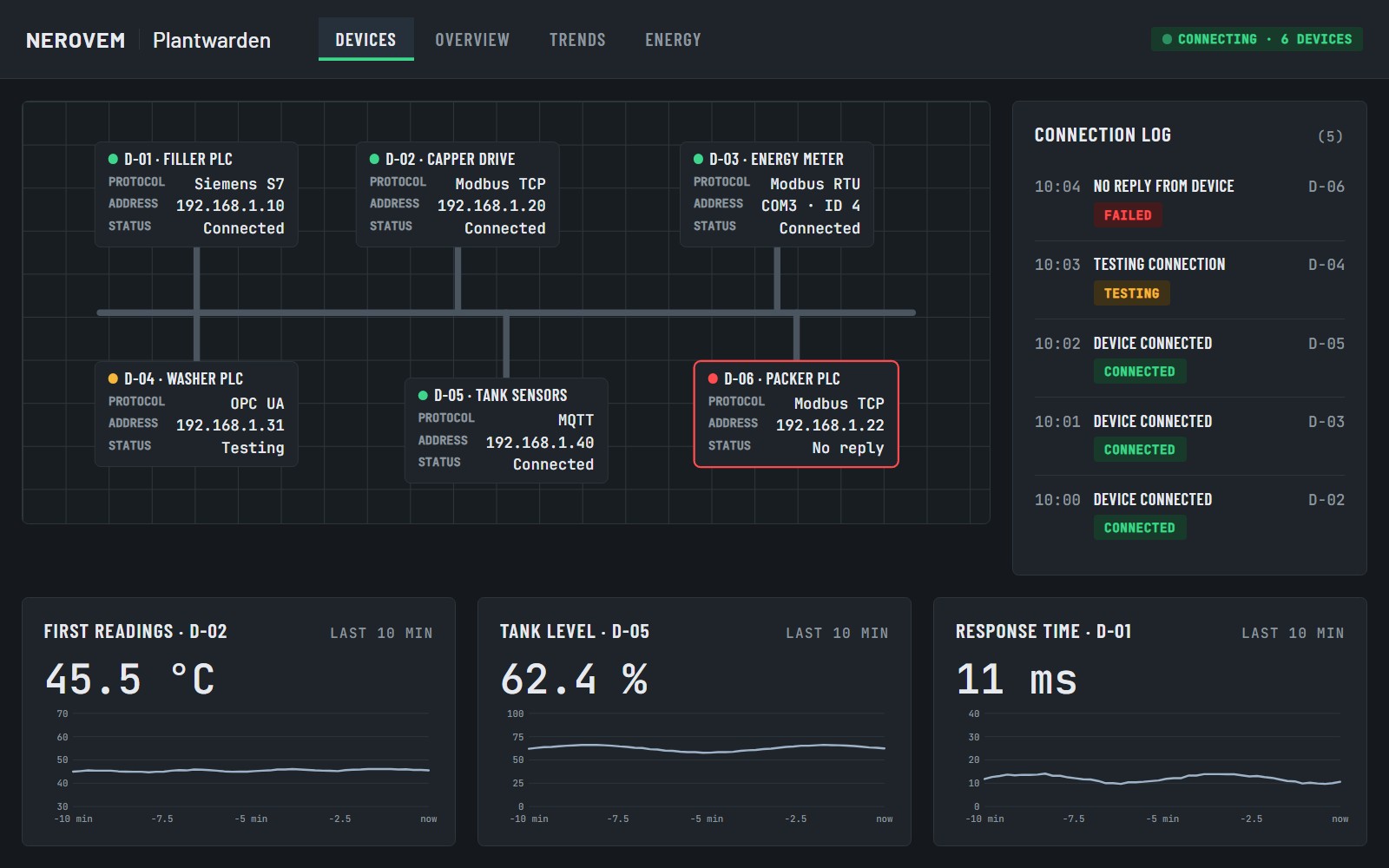
Run the installer, then use the wizard to connect each device by its protocol.
Your plant control room, ready to use
For integrators and small plants: live status, alarms and history of your machines in any browser on the local network.
Delivered as soon as we receive your payment and your details. Maximum delivery time: 12 hours.
A commercial SCADA can cost more than the whole job. Building one from free parts eats days you cannot bill. Meanwhile the shop floor learns about a fault when something stops.
Before: a quote that kills the job, or days spent assembling free parts for every client.
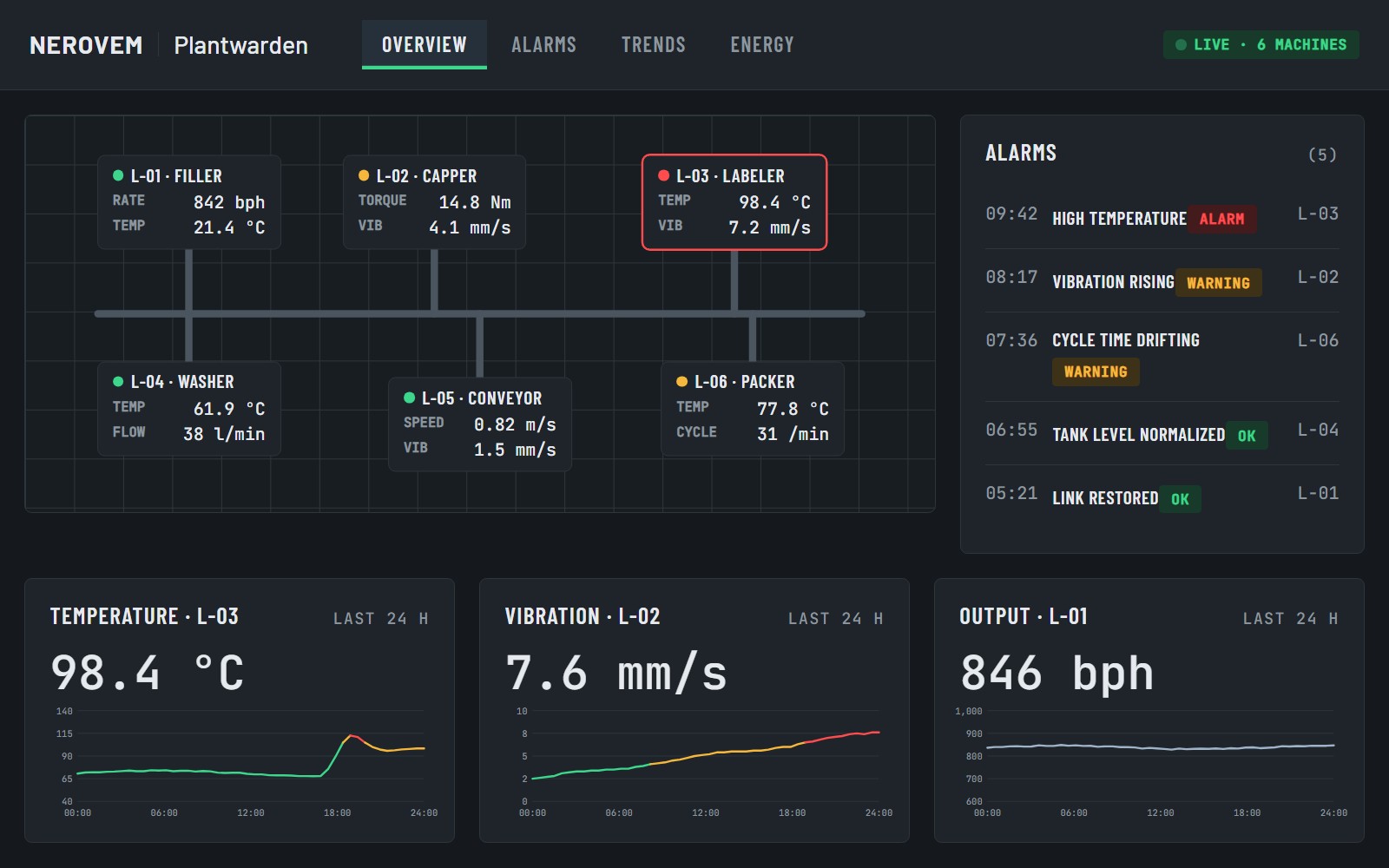
After: a plant screen with live values, alarms and history, running on a computer in the plant.
Run the installer, then use the wizard to connect each device by its protocol.
Start from the plant view, the trends or the energy template and adapt it in the screen editor.
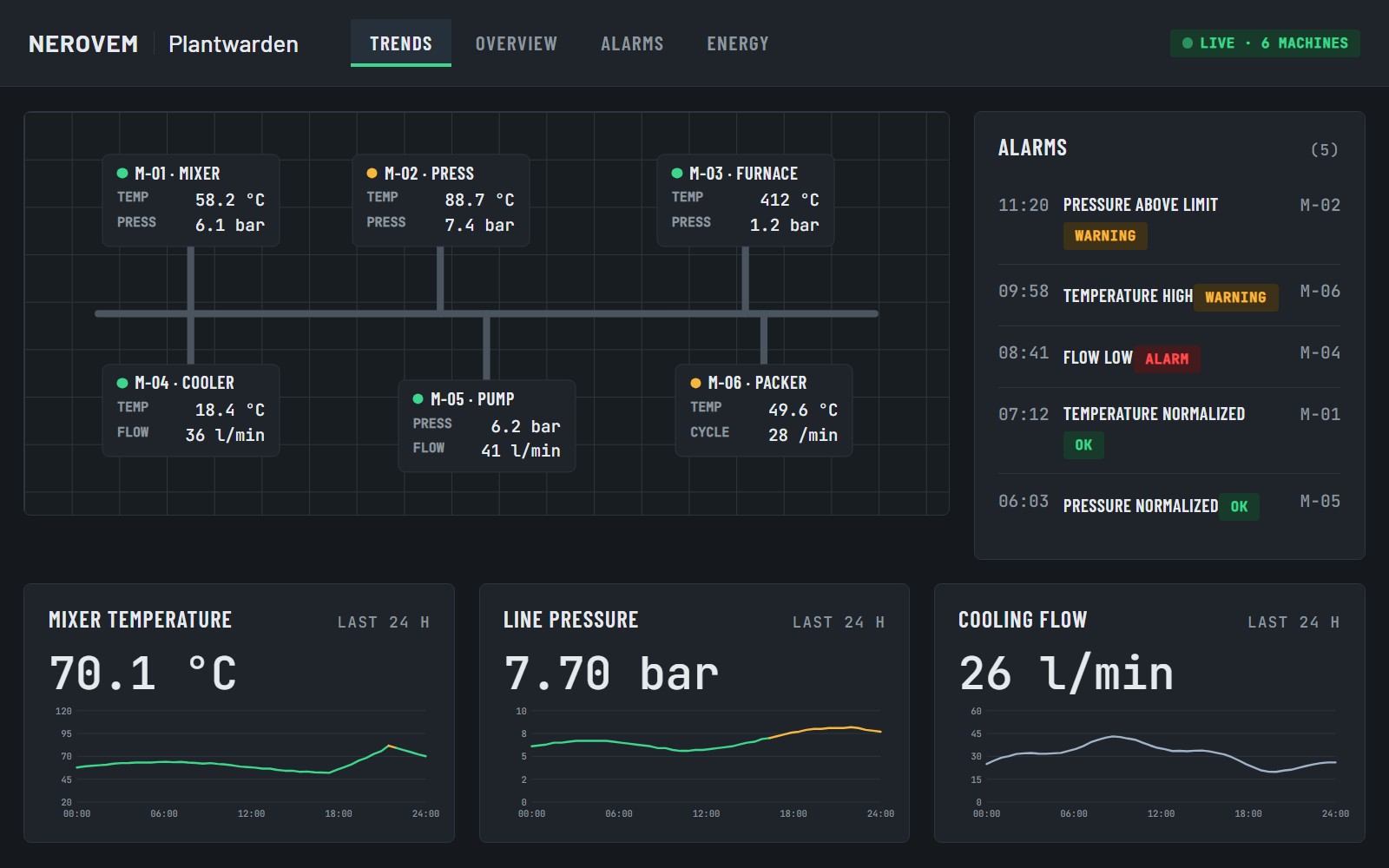
Open it from any browser on the network, with alarms and history saved on the same computer.
Your plant on one plan, each machine with its live values. Alarms show the time, the level (warning or alarm) and keep a full history.
Connects to PLCs and devices over Modbus TCP/RTU, OPC UA, MQTT and Siemens S7, with a wizard for each protocol.
See the last 24 hours at a glance. Everything is stored on your own computer, with no cloud.
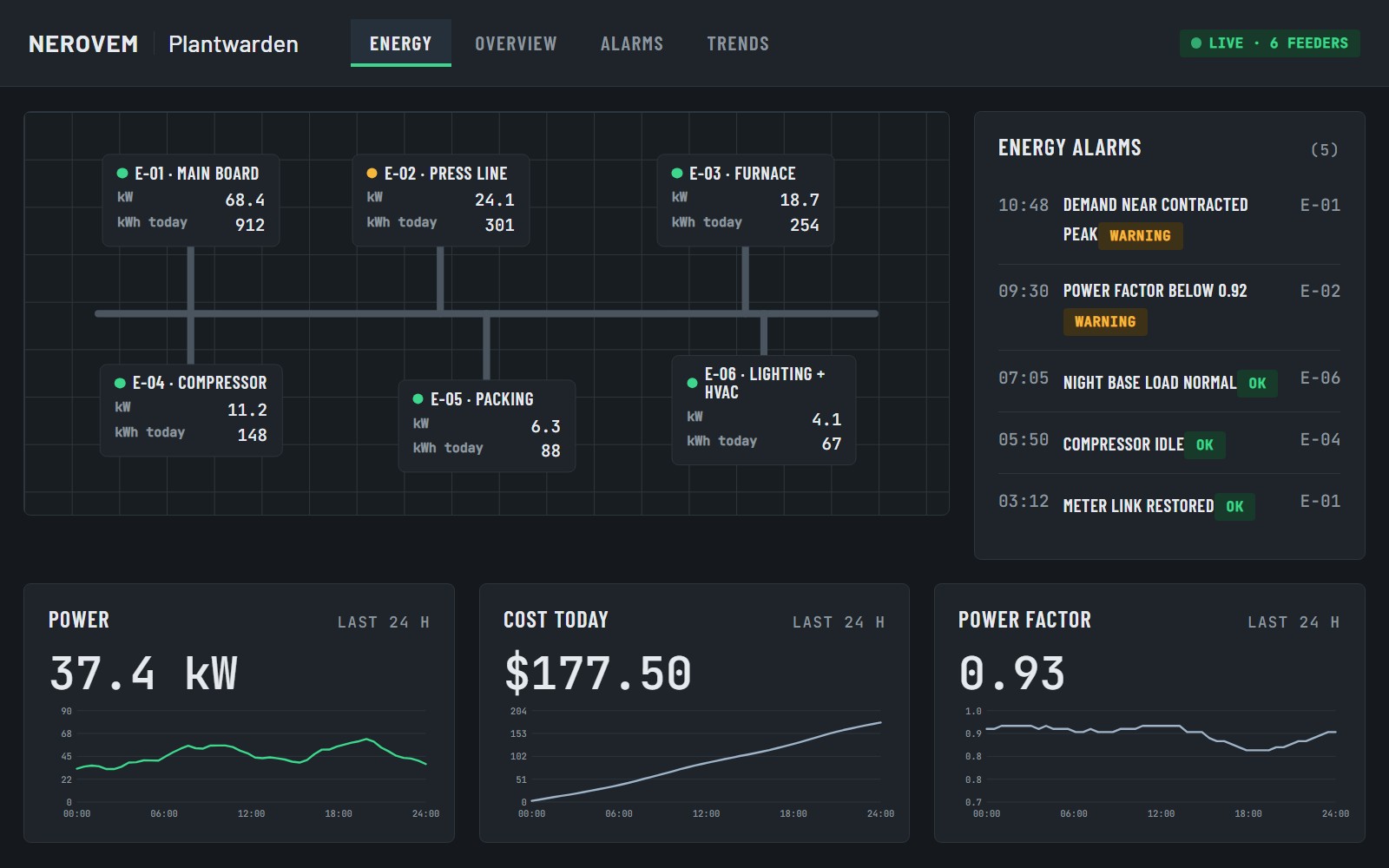
With an energy meter that speaks Modbus, follow consumption by line or board.
Adapt the templates in the screen editor, try everything first with the built-in simulator and give each person a password.
| Plantwarden | Commercial SCADA | Build it yourself (free) | |
|---|---|---|---|
| Price | $59 once | From about $1,850; servers $2,500-3,500 plus yearly support | Free |
| Time to first screen | Install, connect, pick a ready template | Depends on training and licensing | Days of building from scratch |
| Use with several clients | Included, all your clients | Check each license | Yes, but you rebuild it each time |
| Where your data lives | On the plant's own computer | Depends on the product | On your computer |
| Writing to the PLC | Off by default; enabled by hand, with a password, local network only | Varies by product | Whatever you build |
Delivered as soon as we receive your payment and your details.
Maximum delivery time: 12 hours.
Your details: the email for the licence and the system you will use it on. We write to you right away to confirm them.
Use it in your business, install it for your clients or build it into your product. The only thing not included: reselling the software on its own.
Delivered as soon as we receive your payment and your details. Maximum delivery time: 12 hours.
If your equipment speaks Modbus TCP/RTU, OPC UA, MQTT or Siemens S7, yes. We do not promise every PLC on the market: check the protocol in your equipment's manual.
It starts in supervision-only mode: it reads and warns, and does not write to the PLC. Writing is switched on by hand, with a password and only on the local network. It is not for safety functions such as emergency stops or protections.
No. It runs on your local network and keeps its history on the same computer.
Yes. The license covers all uses, including your clients. Only reselling the software on its own is excluded.
The license sets no limit. What you can run depends on the computer you install it on.
Written support by email for installation and the templates.
Many devices can be reached through a gateway that converts to Modbus or OPC UA. Ask us by email before you buy and we will tell you honestly if it fits.
Write to us and we reply within 48 working hours.
porfavor@nerovem.com